



ISMS SharePoint Solution • Microsoft Copilot • ISO 27001 • Compliance Automation • AI Governance
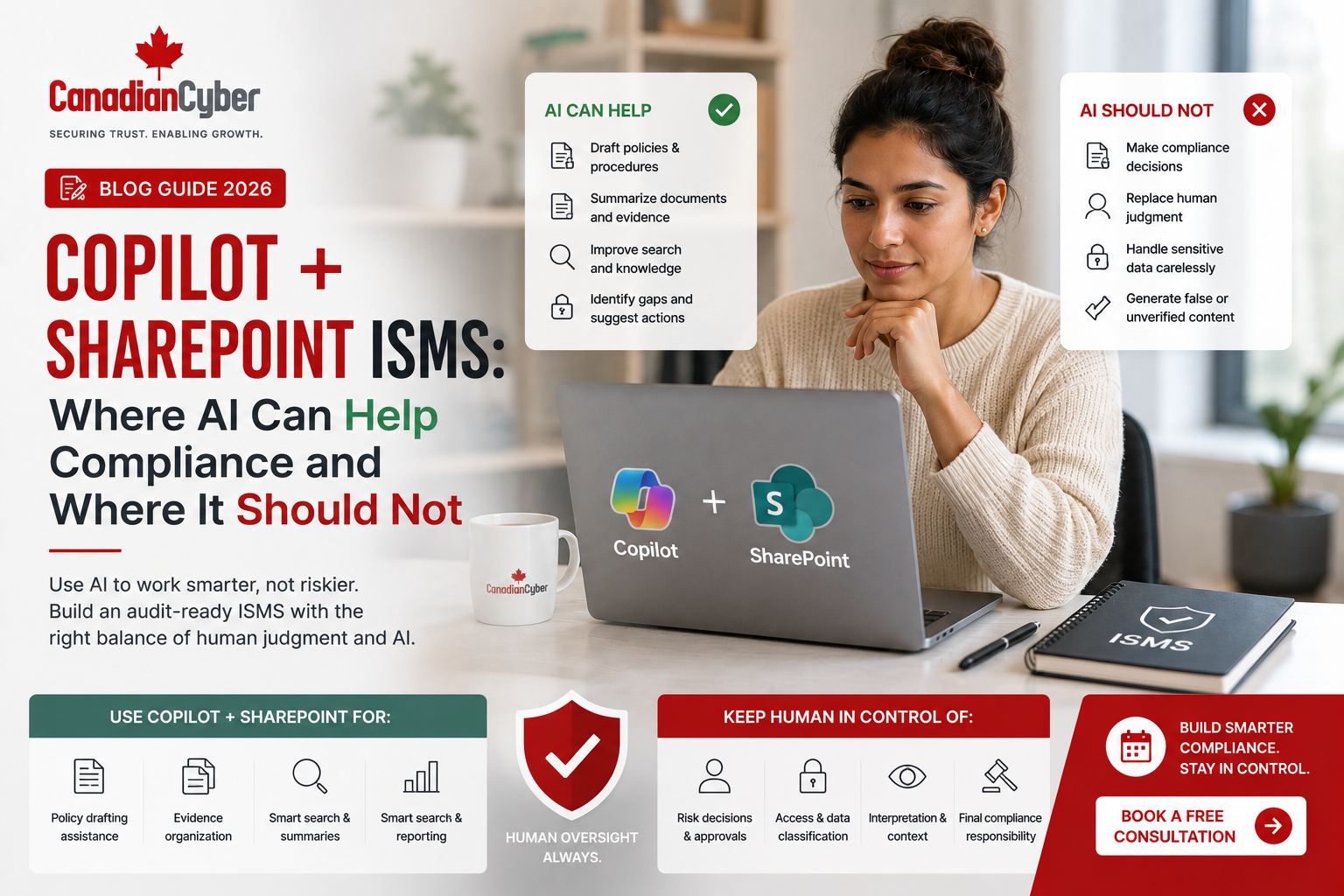
Copilot + SharePoint ISMS: Where AI Can Help Compliance and Where It Should Not
Microsoft Copilot can help compliance teams draft, summarize, organize, and work faster inside Microsoft 365 — but only when it operates inside a controlled SharePoint ISMS with clear owners, approvals, evidence, permissions, and accountability.
Canadian Cyber ISMS SharePoint Solution
Build a Copilot-Ready Compliance Workspace Inside Microsoft 365
Canadian Cyber helps organizations manage ISO 27001, SOC 2, ISO 42001, ISO 27017, ISO 27018, cyber insurance evidence, internal audits, vendor reviews, incident response records, management review, and customer security questionnaires inside a structured SharePoint ISMS.
Quick Answer
Copilot can help compliance teams by drafting documents, summarizing evidence, preparing meeting notes, supporting security questionnaire responses, organizing audit materials, and helping users work faster inside Microsoft 365.
However, Copilot should not replace human approval, risk ownership, internal audit judgment, legal review, control testing, evidence validation, or management accountability.
Practical takeaway: Copilot can help with compliance work, but a structured SharePoint ISMS must control the compliance process.
Quick Snapshot
| Copilot Can Help With | Copilot Should Not Do |
|---|---|
| Drafting policy language | Approving final policies |
| Summarizing audit evidence | Deciding whether evidence is acceptable |
| Creating meeting summaries | Replacing management review decisions |
| Helping organize questionnaire answers | Making contractual security commitments |
| Drafting risk descriptions | Accepting or treating risks without owner approval |
| Summarizing vendor reports | Approving critical suppliers alone |
Why Copilot and SharePoint ISMS Matter Together
Microsoft Copilot is changing how teams work inside Microsoft 365. It can summarize documents, draft policies, organize meeting notes, help create reports, suggest wording, review large files, and speed up routine administrative work.
For compliance teams, that sounds attractive. ISO 27001, SOC 2, ISO 42001, ISO 27017, ISO 27018, internal audits, cyber insurance evidence, vendor reviews, access reviews, management reviews, and customer security questionnaires all create heavy documentation work.
But speed alone does not create compliance. Compliance still needs approved owners, controlled documents, version history, review dates, audit evidence, access permissions, risk decisions, management approval, internal audit testing, corrective action tracking, framework mapping, evidence retention, and client-ready summaries.
Copilot can assist compliance work, but your SharePoint ISMS should control the compliance process.
Who This Guide Is For
- Companies using Microsoft 365 for compliance.
- SaaS companies preparing for ISO 27001 or SOC 2.
- Canadian SMBs building an ISMS inside SharePoint.
- CTOs and IT leaders exploring Copilot for compliance.
- Compliance leads managing audit evidence.
- vCISO teams supporting clients with Microsoft 365.
- AI governance leaders preparing for ISO 42001.
- Organizations replacing spreadsheets with SharePoint workflows.
What Is Canadian Cyber’s ISMS SharePoint Solution?
Canadian Cyber’s ISMS SharePoint Solution is a Microsoft 365-based compliance workspace designed to help organizations manage security governance, risk, evidence, audits, workflows, and reporting in one controlled environment.
It can support:
ISO 27001 internal audits
SOC 2 readiness
ISO 42001 AI governance
ISO 27017 cloud security controls
ISO 27018 cloud privacy controls
cyber insurance evidence
vendor risk management
incident response records
security questionnaires
This means Copilot is not operating in a random folder environment. It is supporting work inside a structured governance system with policies, evidence libraries, risk registers, control registers, audit workspaces, management review dashboards, approval workflows, Teams notifications, auditor-ready views, and client-ready evidence packs.
Practical rule: AI works better for compliance when the information environment is organized, permission-controlled, and evidence-based.
Where Copilot Can Help Compliance
1. Drafting First Versions of Policies
Copilot can help create first drafts of policy sections based on existing templates, notes, or approved requirements. It can assist with acceptable use policies, access control policy drafts, incident response procedure wording, vendor management policy drafts, AI use policy language, data classification guidance, backup policy sections, and security awareness content.
Guardrail: Copilot can draft policy text. It should not approve policy decisions.
2. Summarizing Audit Evidence
Audit evidence can be long and scattered. Copilot can help summarize access review records, vendor reports, internal audit notes, incident response records, management review inputs, tabletop exercise notes, security training summaries, and control evidence folders.
Guardrail: Use Copilot to understand evidence faster, but keep original evidence as the source of truth.
3. Preparing Security Questionnaire Responses
Security questionnaires can slow down SaaS deals and enterprise procurement. Copilot can help draft or refine answers using approved content from a response library, including MFA answers, encryption answers, incident response summaries, vendor management explanations, SOC 2 readiness responses, ISO 27001 status summaries, AI governance responses, and cloud security explanations.
Guardrail: Copilot can help write faster, but approved answers and evidence links should come from the SharePoint ISMS.
4. Creating Management Review Summaries
Copilot can help summarize risk status, internal audit findings, corrective actions, incidents, vendor issues, security objectives, evidence gaps, training status, and open actions before management review.
Guardrail: Copilot can summarize management review inputs. Leadership must still make and record decisions.
5. Drafting Corrective Action Summaries
After an internal audit, cybersecurity assessment, incident, or tabletop exercise, corrective actions need to be documented clearly. Copilot can help draft finding descriptions, root cause summaries, action plan wording, closure summaries, management update text, and client-safe improvement summaries.
Guardrail: Copilot can help explain corrective actions. It should not decide whether corrective actions are effective.
Need a Copilot-Ready Compliance Workspace?
Canadian Cyber helps organizations combine Microsoft 365, SharePoint, Power Automate, Teams, and Copilot-ready compliance workflows through our ISMS SharePoint Solution.
Where Copilot Should Not Replace Human Judgment
Copilot can help with productivity, but compliance requires accountability. There are areas where AI should support, not decide.
| Area | Why Copilot Should Not Decide |
|---|---|
| Risk Acceptance | Risk acceptance requires business context, risk owner approval, legal considerations, customer expectations, and leadership judgment. |
| Control Testing | Control testing requires evidence review, interviews, sampling, audit competence, and professional judgment. |
| Legal Commitments | Security questionnaire answers, contracts, DPAs, and customer commitments may create legal obligations. |
| Final Policy Approval | Policies must reflect real business processes, current systems, risk appetite, and authorized owner decisions. |
| Evidence Validation | Copilot can summarize files, but it cannot independently confirm whether evidence is complete, current, accurate, or audit-sufficient. |
A policy is not approved because AI wrote it. It is approved when the right owner reviews and signs off.
Practical Table: Copilot Use Cases and Required Guardrails
| Copilot Use Case | Useful For | Required Guardrail |
|---|---|---|
| Policy Drafting | Faster first drafts. | Owner review and approval. |
| Evidence Summarization | Faster understanding. | Original evidence retained. |
| Questionnaire Drafting | Faster response preparation. | Approved response library and legal review. |
| Management Review Notes | Faster meeting summaries. | Leadership decisions documented. |
| Risk Descriptions | Better wording. | Risk owner approval. |
| Vendor Report Summaries | Faster review. | Human vendor risk decision. |
| Corrective Action Drafting | Clearer documentation. | Closure evidence verification. |
| AI Governance Support | Faster inventory and summaries. | Security, privacy, legal, and product review. |
How the ISMS SharePoint Solution Makes Copilot Safer
Copilot is most useful when the information environment is structured. A messy SharePoint site creates messy AI outputs. A controlled SharePoint ISMS creates better, safer, more useful outputs.
Canadian Cyber’s ISMS SharePoint Solution helps by organizing compliance records around:
Practical rule: Before asking Copilot to help with compliance, fix the structure of the compliance workspace.
Copilot + SharePoint ISMS Use Case Map
| Compliance Task | Copilot Role | ISMS SharePoint Solution Role |
|---|---|---|
| Create policy draft | Suggest wording. | Store, route, approve, publish, and archive. |
| Summarize evidence | Create summary. | Store original evidence and metadata. |
| Prepare audit notes | Draft summary. | Track audit plan, findings, and evidence. |
| Answer questionnaire | Draft response. | Provide approved answers and evidence. |
| Review risk register | Summarize trends. | Track risk owners, ratings, and treatment plans. |
| Prepare management review | Summarize dashboard inputs. | Store minutes, decisions, and actions. |
| Track corrective actions | Draft action summaries. | Assign owners, due dates, and closure evidence. |
| Support AI governance | Draft AI use summaries. | Maintain AI inventory, risk register, and approvals. |
Practical Checklist: Use Copilot Safely for Compliance
| Action Item | Done? |
|---|---|
| Create a structured SharePoint ISMS site. | |
| Define document libraries for policies, evidence, audits, vendors, and management review. | |
| Use metadata for framework, control ID, owner, status, and review date. | |
| Set permissions using least privilege. | |
| Maintain approved response libraries. | |
| Label client-ready evidence separately from internal evidence. | |
| Require human approval for policies and customer-facing statements. | |
| Keep original evidence as the source of truth. | |
| Review Copilot-generated summaries before using them. | |
| Track risk decisions with named owners. | |
| Use Power Automate for approvals and reminders. | |
| Include AI use in your governance and training program. |
Common Mistakes to Avoid
- Asking Copilot to fix a messy ISMS. If your evidence is scattered, outdated, or poorly named, Copilot will not magically create reliable compliance.
- Treating AI output as approved evidence. AI-generated summaries are not the same as audit evidence.
- Letting Copilot draft customer answers without review. Security questionnaire answers should be evidence-backed and reviewed.
- No permission design. Copilot can surface information users have access to. Poor permissions can create data exposure risk.
- No approved response library. Without approved answers, Copilot may create inconsistent or risky wording.
- Replacing risk owners with AI. Risk decisions require business accountability.
- No AI governance policy. If your company uses Copilot or other AI tools, define acceptable use, data handling rules, review requirements, and accountability.
- No audit trail. Compliance decisions should be documented in the ISMS, not only generated in chat.
How Canadian Cyber Helps
Canadian Cyber helps organizations use Microsoft 365 for practical, controlled compliance operations. Our ISMS SharePoint Solution is designed to support the governance structure needed for ISO 27001, SOC 2, ISO 42001, ISO 27017, ISO 27018, cyber insurance evidence, internal audits, and customer security reviews.
Canadian Cyber’s ISMS SharePoint Solution can include:
Canadian Cyber can support:
Copilot can help compliance teams move faster. Canadian Cyber’s ISMS SharePoint Solution helps make sure that speed stays controlled, auditable, and evidence-backed.
Frequently Asked Questions
Can Copilot help with ISO 27001 compliance?
Yes. Copilot can help draft documents, summarize evidence, prepare management review notes, and support security questionnaire responses. However, ISO 27001 still requires human approval, risk ownership, internal audit, management review, and documented evidence.
Can Copilot replace a compliance officer or vCISO?
No. Copilot can support compliance productivity, but it should not replace professional judgment, control testing, risk decisions, legal review, or executive accountability.
Can SharePoint be used as an ISMS?
Yes. A properly designed SharePoint ISMS can manage policies, risks, controls, evidence, audits, vendors, corrective actions, management review, and dashboards inside Microsoft 365.
Does Canadian Cyber have an ISMS SharePoint Solution?
Yes. Canadian Cyber has an ISMS SharePoint Solution that helps organizations manage compliance inside Microsoft 365 with structured libraries, lists, workflows, dashboards, evidence tasks, risk registers, control registers, audit workspaces, and client-ready evidence views.
Where should Copilot not be used in compliance?
Copilot should not independently approve policies, accept risks, validate controls, close corrective actions, make legal commitments, certify evidence, or replace internal audit judgment.
How can Canadian Cyber help with Copilot and SharePoint compliance?
Canadian Cyber can design and implement an ISMS SharePoint Solution that supports Copilot-ready compliance work while maintaining evidence structure, ownership, approvals, permissions, workflows, dashboards, and audit readiness.
Takeaway
Copilot can help compliance teams work faster. It can draft, summarize, organize, and support documentation work.
But compliance still requires governance. It requires owners, approvals, evidence, risk decisions, audit testing, management review, and accountability.
That is why Copilot works best when paired with a structured SharePoint ISMS. Copilot can help with the work. The ISMS SharePoint Solution controls the system.
Want to Use Copilot for Compliance Without Losing Control?
Canadian Cyber can help you build the right foundation. Our ISMS SharePoint Solution helps manage ISO 27001, SOC 2, ISO 42001, ISO 27017, ISO 27018, cyber insurance evidence, internal audits, vendor reviews, incident response records, management review, and customer security questionnaires inside Microsoft 365.
Stay Connected With Canadian Cyber
Follow Canadian Cyber for practical guidance on Copilot for compliance, SharePoint ISMS, ISO 27001, SOC 2, ISO 42001, ISO 27017, ISO 27018, Microsoft 365 compliance, audit evidence, cybersecurity assessments, and vCISO support.










