



SharePoint ISMS • Security Questionnaires • Enterprise Deals • SOC 2 • ISO 27001
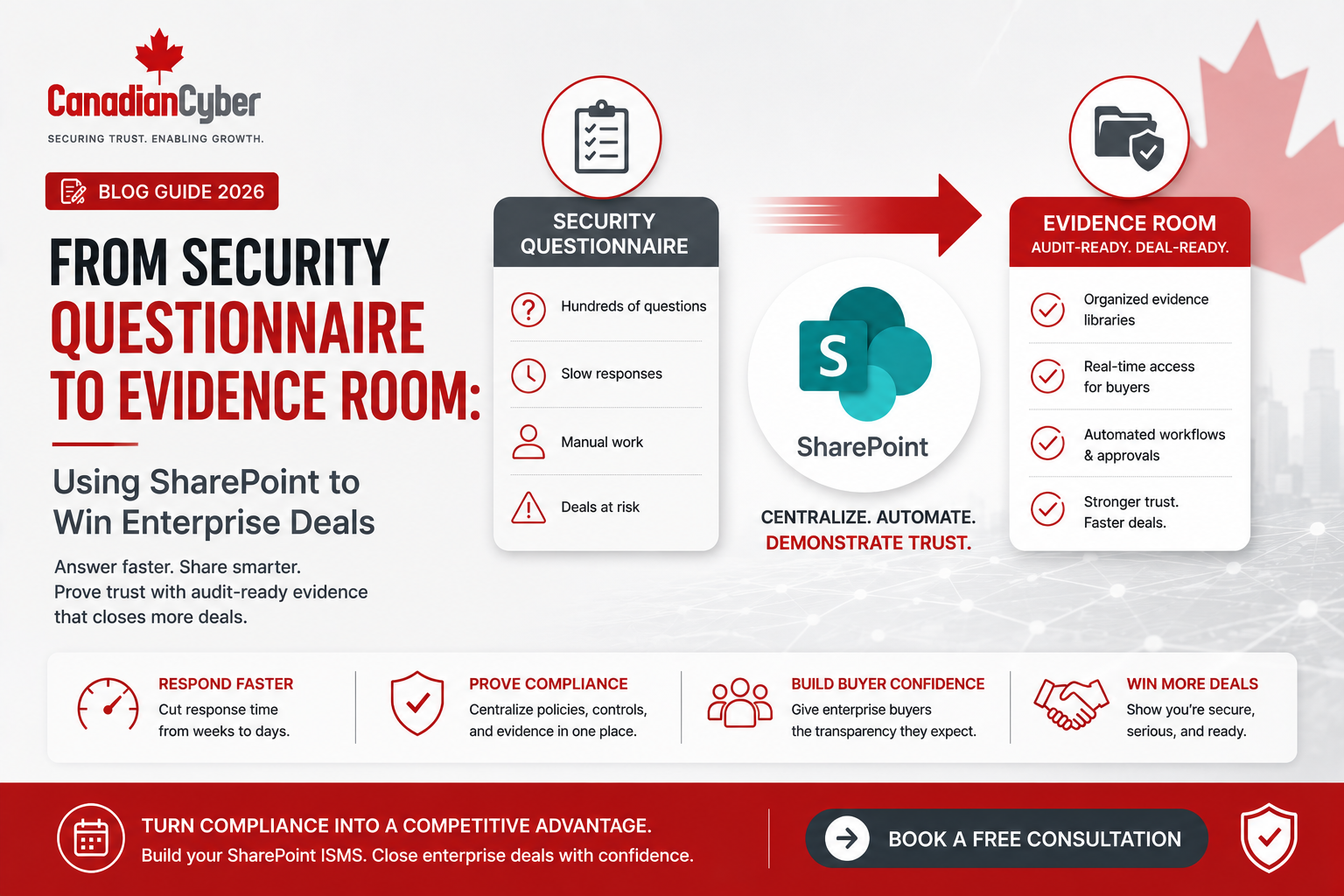
From Security Questionnaire to Evidence Room: Using SharePoint to Win Enterprise Deals
Enterprise SaaS deals rarely close on product features alone. Once the security questionnaire arrives, the deal often depends on how quickly your team can prove security, privacy, compliance, resilience, access control, vendor risk, and audit readiness.
Canadian Cyber SharePoint Evidence Room
Turn Scattered Security Evidence Into a Client-Ready Evidence Room
Canadian Cyber helps SaaS companies and growing organizations build SharePoint evidence rooms for security questionnaires, SOC 2 readiness, ISO 27001 implementation, ISO 42001 AI governance, cloud controls, privacy evidence, and enterprise customer reviews.
Quick Answer
A SharePoint evidence room helps SaaS companies answer enterprise security questionnaires faster by centralizing approved security evidence, standard questionnaire responses, SOC 2 records, ISO 27001 documents, vendor reviews, access reviews, incident response evidence, AI governance records, and cloud security documentation.
Instead of searching through emails, folders, screenshots, and spreadsheets for every buyer request, sales, security, legal, and compliance teams can work from one structured evidence workspace.
Practical takeaway: A SharePoint evidence room can reduce procurement delays, improve answer consistency, support customer trust, and make enterprise deals easier to approve.
Quick Snapshot
| Enterprise Sales Problem | SharePoint Evidence Room Solution |
|---|---|
| Security questionnaires delay deals | Central response library and approved evidence pack. |
| Evidence is scattered | One SharePoint workspace for policies, controls, risks, and proof. |
| Answers are inconsistent | Standard approved questionnaire response library. |
| SOC 2 or ISO 27001 evidence is hard to find | Evidence mapped by framework, control, owner, and status. |
| Legal and security reviews take too long | Approval workflows and client-ready evidence views. |
| Buyers ask for AI, privacy, and cloud controls | Dedicated evidence sections for ISO 42001, ISO 27017, and ISO 27018. |
Why Enterprise Deals Stall After the Security Questionnaire
The demo may go well. The business buyer may love the platform. Pricing may be approved. The sales team may feel confident. Then the security questionnaire arrives.
Suddenly, the deal depends on how quickly the vendor can prove security, privacy, compliance, resilience, access control, vendor risk, incident response, cloud governance, and audit readiness.
For many growing companies, this is where enterprise deals slow down. Not because the product is weak. Not because the buyer is uninterested. The deal stalls because the evidence is scattered.
Security questionnaires move faster when evidence is already organized before the customer asks.
Who This Guide Is For
- SaaS companies selling to enterprise customers.
- Founders and CEOs trying to reduce procurement delays.
- CTOs and IT managers answering security reviews.
- Sales teams dealing with long questionnaires.
- Compliance leads managing SOC 2 or ISO 27001 evidence.
- Security leaders building a trust center or evidence room.
- AI startups answering customer AI governance questions.
- Organizations using Microsoft 365, SharePoint, Teams, and Power Automate.
What Is a SharePoint Evidence Room?
A SharePoint evidence room is a controlled Microsoft 365 workspace where your company stores and manages security, privacy, compliance, and audit evidence that supports enterprise customer reviews.
It is not just a folder. A strong evidence room connects approved answers, client-ready evidence, review workflows, permission controls, expiry dates, and framework mapping.
A strong SharePoint evidence room can include:
client-ready evidence packs
SOC 2 evidence
ISO 27001 evidence
ISO 42001 AI governance evidence
ISO 27017 cloud security evidence
ISO 27018 privacy evidence
vendor assurance records
access review evidence
incident response records
Practical rule: An evidence room should help sales, security, legal, compliance, and leadership answer from one trusted source.
From Questionnaire Chaos to Evidence Room: The Workflow
A security questionnaire should not start a scavenger hunt. It should trigger a controlled response process.
| Step | Manual Approach | SharePoint Evidence Room Approach |
|---|---|---|
| Questionnaire Received | Sales forwards it to multiple teams. | Request is logged in SharePoint. |
| Questions Reviewed | Teams answer separately. | Questions map to approved response library. |
| Evidence Requested | People search folders and email. | Evidence is pulled from client-ready library. |
| Legal Review | Last-minute review. | Pre-approved wording and sharing rules. |
| Response Packaged | Files attached manually. | Evidence pack is generated from approved sources. |
| Deal Follow-Up | Repeated back-and-forth. | Response history is retained for reuse. |
The goal is not only to answer one questionnaire. The goal is to build a reusable response system.
Need Senior Guidance for Enterprise Trust Readiness?
Canadian Cyber helps organizations build SharePoint evidence rooms that support enterprise security questionnaires, SOC 2 readiness, ISO 27001 implementation, ISO 42001 AI governance, cloud controls, privacy evidence, and vCISO reporting.
What Should Be Inside a SharePoint Evidence Room?
1. Security Overview Section
This gives buyers a concise view of your security program. It can include a security governance summary, data protection overview, cloud hosting overview, encryption summary, access control summary, incident response summary, business continuity summary, privacy summary, and AI governance summary where applicable.
2. Approved Questionnaire Response Library
A response library helps teams avoid rewriting the same answers. It also reduces the risk of overpromising or sending inconsistent wording to different buyers.
| Response Library Field | Purpose |
|---|---|
| Question Category | Access, encryption, incident response, vendor risk, AI, or privacy. |
| Approved Answer | Reviewed response text. |
| Evidence Link | Supporting document or record. |
| Owner | Person responsible for accuracy. |
| Review Date | Keeps answers current. |
| Sharing Level | Public, NDA, restricted, or internal only. |
| Legal Review Status | Shows whether wording is approved. |
3. SOC 2 Evidence Section
For SaaS companies, SOC 2 is one of the most common enterprise trust requests. If your company has SOC 2, the evidence room should manage SOC 2 report access under NDA, scope summaries, control owner matrices, access review evidence, incident response records, vendor risk evidence, and corrective action records.
If SOC 2 is not complete, the evidence room can still include a SOC 2 readiness roadmap, gap assessment summary, control register, interim evidence, target audit timeline, and vCISO or advisory support summary.
4. ISO 27001 Evidence Section
ISO 27001 evidence is useful for enterprise buyers because it shows formal security governance. This section may include the ISMS scope, information security policy, risk assessment summary, risk treatment plan, Statement of Applicability summary, internal audit summary, management review summary, corrective action tracker, vendor register, and access review records.
5. Vendor Risk Evidence Section
Enterprise buyers care about your vendors because your vendors may affect their data. A SharePoint evidence room should include supplier assurance records for critical vendors, including SOC 2 reports, ISO certificates, DPAs, subprocessors, risk ratings, review dates, and AI vendor reviews where applicable.
6. Access Control Evidence Section
Access control is one of the most frequently requested questionnaire areas. Evidence may include MFA reports, SSO configuration, admin access reviews, user access reviews, offboarding evidence, privileged access inventory, support access review, production access approval, and contractor access review.
7. Incident Response Evidence Section
Enterprise buyers want to know what happens if something goes wrong. A tested incident response plan creates stronger buyer confidence than a plan that only exists on paper. Include the incident response plan, escalation matrix, severity classification, breach notification procedure, tabletop exercise report, lessons learned, and corrective action tracker.
8. Cloud Security and Privacy Evidence Section
For cloud-first SaaS companies, cloud security and privacy controls are central to customer trust. This section can support ISO 27017 cloud evidence and ISO 27018 privacy evidence, including cloud admin access reviews, monitoring evidence, data deletion processes, subprocessor lists, privacy incident processes, and retention records.
9. AI Governance Evidence Section
AI questions are now appearing in enterprise security reviews. If your company uses AI internally or offers AI features, prepare evidence such as an AI tool inventory, AI feature inventory, AI risk assessment, AI vendor review, prompt and output handling rules, model training data terms, human oversight procedure, and ISO 42001 readiness evidence.
Practical Table: Evidence Room Sections and Buyer Questions
| Evidence Room Section | Buyer Question It Answers |
|---|---|
| Security Overview | How mature is your security program? |
| Response Library | Can you answer consistently and quickly? |
| SOC 2 Evidence | Has an independent audit reviewed your controls? |
| ISO 27001 Evidence | Do you have a formal ISMS? |
| Vendor Risk | Do you review suppliers and subprocessors? |
| Access Control | How do you manage MFA, access, and offboarding? |
| Incident Response | Can you respond to security incidents? |
| AI Governance | How do you manage AI risks and customer data? |
SharePoint Evidence Room Permissions
Not every person should access every document. A security questionnaire evidence room may contain sensitive records, including audit reports, vendor contracts, cloud screenshots, security findings, incident records, and customer data handling documents.
| Group | Access Level |
|---|---|
| Evidence Room Admins | Full control. |
| Compliance and Security Owners | Edit evidence and responses. |
| Sales and Customer Success | View approved client-ready evidence. |
| Legal | Review and approve external wording. |
| Control Owners | Update assigned evidence. |
| Leadership | View dashboards and key summaries. |
| Enterprise Customers | Only approved evidence under NDA where appropriate. |
Practical rule: Create client-ready views instead of giving broad access to the full compliance workspace.
Power Automate Workflows for the Evidence Room
Power Automate can reduce manual work and improve response speed while keeping legal, security, and compliance in control.
| Workflow | Purpose |
|---|---|
| Questionnaire Intake | Logs new customer security review requests. |
| Response Assignment | Routes questions to owners. |
| Evidence Approval | Confirms evidence is safe to share. |
| NDA Check | Ensures sensitive evidence is shared only when appropriate. |
| Expiring Evidence Reminder | Alerts owners before evidence becomes outdated. |
| Client Pack Approval | Routes evidence pack for final approval. |
Practical Checklist: Build a SharePoint Evidence Room
| Action Item | Done? |
|---|---|
| Create a dedicated SharePoint evidence room. | |
| Build an approved questionnaire response library. | |
| Create client-ready security overview documents. | |
| Add SOC 2 evidence or readiness roadmap. | |
| Add ISO 27001 evidence or implementation roadmap. | |
| Add vendor risk evidence and subprocessor records. | |
| Add access review and MFA evidence. | |
| Add incident response and tabletop evidence. | |
| Add cloud security and privacy evidence. | |
| Add AI governance evidence if AI is used. | |
| Define evidence sharing levels. | |
| Create Power Automate review workflows. |
Common Mistakes to Avoid
- Sharing evidence directly from random folders. This creates version confusion and may expose sensitive internal documents.
- No approved response library. If each team writes answers differently, buyers receive inconsistent information.
- Giving sales unrestricted access. Sales needs approved evidence, not unrestricted access to internal security records.
- No legal review. Security questionnaire answers can become contractual expectations.
- Outdated evidence. Expired penetration tests, old access reviews, outdated policies, and stale vendor reports weaken buyer confidence.
- No AI governance section. Enterprise buyers may ask about prompts, outputs, model training, vendors, and data use.
- Treating the evidence room as a one-time project. A useful evidence room must be maintained continuously.
How Canadian Cyber Helps
Canadian Cyber helps organizations move from questionnaire chaos to a structured SharePoint evidence room that supports enterprise sales and audit readiness.
Canadian Cyber can support:
Frequently Asked Questions
What is a SharePoint evidence room?
A SharePoint evidence room is a controlled Microsoft 365 workspace used to store approved security, privacy, compliance, audit, and customer due diligence evidence for enterprise security reviews.
Can SharePoint help answer security questionnaires faster?
Yes. SharePoint can centralize approved answers, evidence links, SOC 2 records, ISO 27001 documents, vendor reviews, access evidence, incident response records, and client-ready evidence packs.
What should be included in a security questionnaire evidence room?
It should include a response library, security overview, SOC 2 evidence, ISO 27001 evidence, vendor risk records, access control evidence, incident response records, cloud security evidence, privacy evidence, AI governance evidence, and sharing approvals.
Is a SharePoint evidence room the same as a trust center?
Not exactly. A public trust center usually shares high-level security information externally. A SharePoint evidence room is usually an internal or controlled workspace for managing detailed evidence, approvals, and client-specific requests.
Can sales use a SharePoint evidence room?
Yes, but sales should only access approved client-ready evidence and standard responses. Sensitive internal records should remain restricted.
Can Canadian Cyber build a SharePoint evidence room?
Yes. Canadian Cyber can design and implement a SharePoint evidence room that supports security questionnaires, SOC 2 readiness, ISO 27001 implementation, ISO 42001 AI governance, cloud controls, privacy evidence, and enterprise customer reviews.
Takeaway
Enterprise security questionnaires stall deals when evidence is scattered, answers are inconsistent, and ownership is unclear.
A SharePoint evidence room helps turn customer due diligence into a structured, repeatable process. It gives sales, security, legal, compliance, and leadership one place to manage approved answers, client-ready evidence, SOC 2 records, ISO 27001 documents, AI governance evidence, cloud security proof, privacy controls, vendor reviews, access evidence, incident response records, and approval workflows.
The result is faster response time, stronger buyer confidence, and fewer deal delays.
Security Questionnaires Slowing Down Enterprise Deals?
Canadian Cyber can help you build a SharePoint evidence room inside Microsoft 365. We support SOC 2 readiness, ISO 27001 implementation, ISO 27001 internal audits, ISO 42001 AI governance, ISO 27017 and ISO 27018 cloud controls, cybersecurity assessments, incident response planning, vCISO services, and client-ready evidence workspaces.
Stay Connected With Canadian Cyber
Follow Canadian Cyber for practical guidance on security questionnaires, SharePoint evidence rooms, SOC 2, ISO 27001, ISO 42001, ISO 27017, ISO 27018, Microsoft 365 compliance, audit evidence, and vCISO support.










