
Get in touch
info@canadiancyber.ca


Rafia Rizwan

April 22, 2026
A practical guide comparing SharePoint vs Excel compliance tracking, showing when spreadsheets create audit risk and when to upgrade.
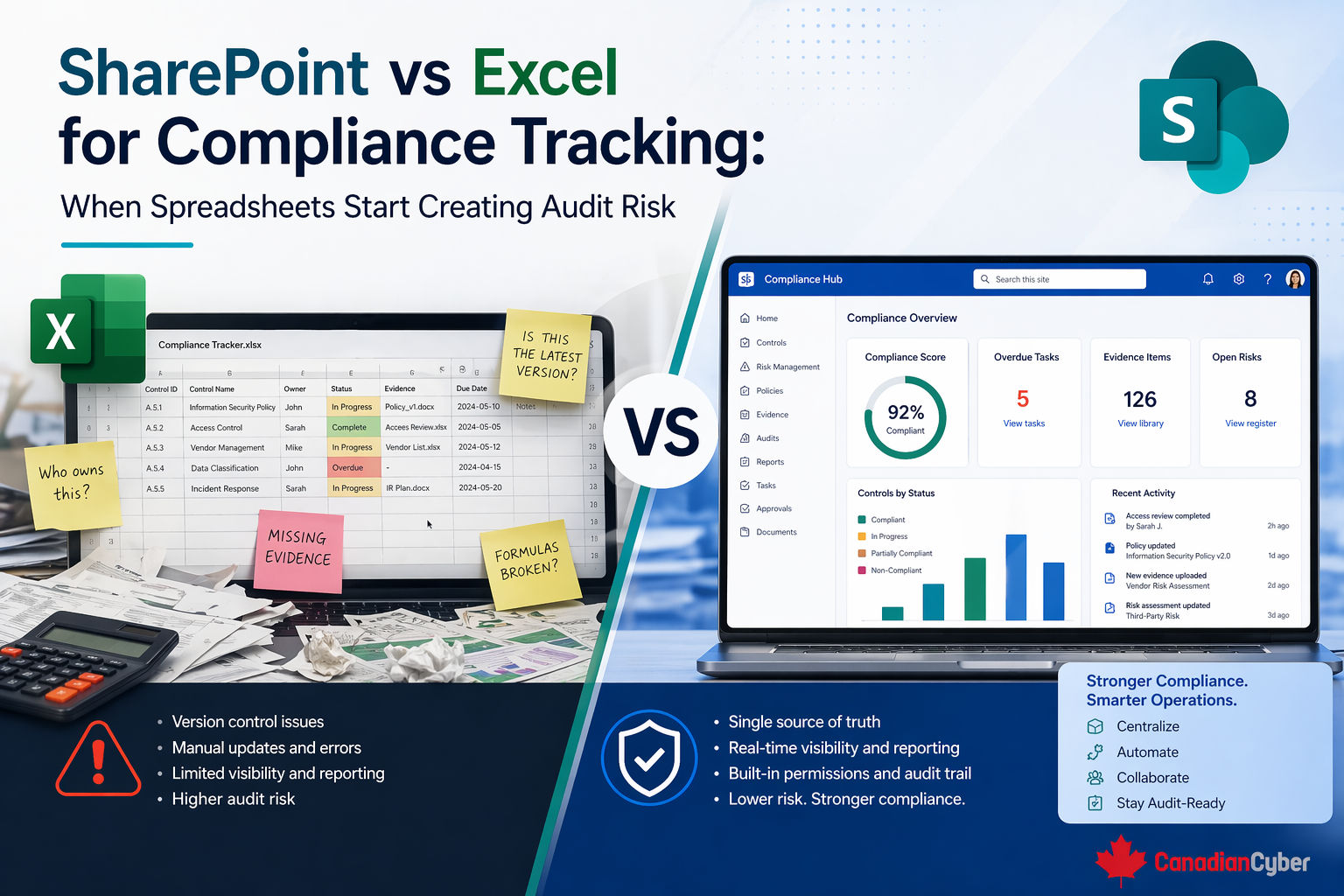
At the start, it works. Teams use spreadsheets to track risks, audit findings, corrective actions, policy review dates, vendor reviews, evidence requests, access reviews, and training completion.
But as the compliance program grows, something changes. The spreadsheet that once felt helpful starts becoming harder to trust. People save copies. Dates fall out of sync. Owners change. Statuses get updated inconsistently. Evidence lives somewhere else.
Then the auditor asks a direct question, and the team realizes the file does not clearly show what is current, who changed what, or whether the tracker matches reality.
That is the moment spreadsheets start creating audit risk. Excel is useful for getting started, but once compliance tracking needs ownership, history, review discipline, and audit traceability, SharePoint usually becomes the stronger operational system.
Most teams do not choose Excel because they want weak governance. They choose it because they need to move quickly. A spreadsheet is often the first place teams track open audit findings, ISO 27001 risks, SOC 2 evidence requests, vendor due diligence status, policy review schedules, and corrective action deadlines.
For a small team with limited complexity, that can be completely reasonable. Excel is especially attractive because it requires no setup time, is easy to customize, lets one person organize information fast, works well for early-stage planning, supports simple filtering and sorting, and feels less formal than building a system.
It is worth saying clearly: Excel is not always the wrong tool. A spreadsheet can work well when the tracker is temporary, one person manages it, the dataset is small, there are very few updates, audit traceability is not yet critical, or the file is used for planning rather than system-of-record tracking.
In those cases, Excel is helping the team think. The problems usually start when Excel becomes the main operating tool for ongoing compliance management.
A compliance tracker becomes audit risk when it starts carrying too much operational weight without enough control. That usually happens when the spreadsheet becomes the main source of truth for corrective actions, risks and treatment plans, policy approvals and review dates, vendor reassessments, evidence status, control ownership, audit follow-up, and management review inputs.
At that point, the team needs more than rows and columns. It needs clear ownership, update discipline, version control, review history, consistent status logic, attachment or evidence linkage, visibility across teams, and traceability for auditors and leadership.
Picture this: a company is preparing for an ISO 27001 surveillance audit. Its compliance team has several Excel trackers: one for corrective actions, one for risk treatment, one for vendor reviews, one for policy review dates, and one for evidence requests.
At first glance, the files seem complete. Then the auditor asks a few basic questions.
Now the team runs into trouble. One file was emailed around and updated in multiple versions. Another has a status marked “closed,” but no evidence link. A third shows an owner who left the company months ago. The policy file was saved locally and uploaded later. The vendor spreadsheet says “reviewed,” but nobody can quickly show the supporting record.
The spreadsheet still exists. But the team can no longer prove that it is controlled, current, or reliable. That is where audit risk appears.
Spreadsheets usually become risky for compliance tracking in very predictable ways.
These weaknesses do not just create inconvenience. They create doubt about whether the compliance process is being managed in a controlled way.
Auditors do not reject Excel just because it is Excel. What they care about is whether the tracking process is credible.
When spreadsheets are the main compliance system, auditors often notice outdated entries, inconsistent status fields, missing closure evidence, no clear review history, ownership gaps, lack of supporting records, no easy way to show overdue items or current state, and uncertainty about whether the file is the controlled version.
SharePoint is not better because it is more complicated. It is better when the compliance process needs structure.
Compared with Excel, SharePoint usually becomes more useful when you need one live source of truth, controlled access and permissions, structured status fields, metadata, version history, workflow support, linked evidence, filtered views, dashboards by owner, status, or due date, and better collaboration without file duplication.
These are not just lists. They are living records that need traceability.
Corrective actions are one of the easiest ways to see the difference.
| Area | Excel | SharePoint |
|---|---|---|
| Typical fields | finding ID, description, owner, due date, status | action ID, source, description, owner, priority, due date, status, evidence link, verified by, closure date |
| Common problem | where is the evidence, who verified closure, what changed since last month? | clearer structure for status, evidence, closure, and verification |
| Operational value | works at first, but becomes manual and fragile | supports overdue views, priority filters, ownership, and verification |
That is a much stronger audit story.
Risk registers often start in Excel, and that is very common. But as soon as the organization needs to track inherent risk, residual risk, owners, treatment actions, review dates, change over time, management acceptance, and linked evidence or control status, the spreadsheet usually starts feeling too static.
A SharePoint list allows one current record, consistent fields, easier filtering by owner or rating, overdue review views, structured updates, and less chance of copy drift. That makes it much easier to support ISO 27001-style ongoing risk management.
A policy review tracker in Excel often looks simple enough: document name, owner, approval date, review date, and status. But if that file is not actively managed, things drift.
Common issues include missed review dates, inconsistent naming, old owners, no clear connection to the latest approved file, and unclear difference between draft, approved, and archived versions.
In SharePoint, policy governance works better because the document library itself can carry metadata such as document owner, version, approval status, review date, document type, and business area. This reduces the disconnect between the tracker and the actual file.
Vendor oversight often gets risky in Excel because the file says “reviewed,” but the real review evidence is harder to prove. That creates questions like where the completed questionnaire is, which version of the SOC 2 report was reviewed, who approved the risk decision, when the next review is due, and which vendors are critical and overdue.
A SharePoint-based vendor tracker can make this much easier by linking vendor metadata, review status, next review date, owner, criticality, and supporting documents. This turns vendor oversight into something more operational and visible.
This is the clearest way to think about it. Excel is often a tracker. It captures information. SharePoint can become an operating system. It can manage structure, ownership, review, visibility, evidence linkage, and control history.
That is why SharePoint becomes stronger as compliance maturity increases. The organization is no longer just recording information. It is running a process.
| Area | Excel | SharePoint |
|---|---|---|
| Quick setup | Strong | Moderate |
| Flexibility for early planning | Strong | Moderate |
| Single source of truth | Weak when shared widely | Stronger |
| Version control | Weak | Stronger |
| Ownership visibility | Limited | Stronger |
| Workflow support | Minimal | Better |
| Evidence linkage | Manual | Easier |
| Audit trail | Limited | Better |
| Team collaboration | Risk of copy drift | Stronger |
| Continuous compliance tracking | Weak at scale | Stronger |
The better question is not “Which tool is better in general?” The better question is: which tool is appropriate for the maturity and operational importance of this compliance process?
Here is a practical decision model.
| Stay in Excel when: | Move to SharePoint when: |
|---|---|
| the tracker is temporary | the tracker is ongoing |
| one person owns it | multiple people update it |
| the process is not yet operational | evidence must be linked |
| scale is low | deadlines and review cycles matter |
| audit traceability is not critical | leadership needs visibility |
| the file supports planning more than governance | auditors may rely on it and ownership/history need to be clearer |
Organizations do not need to move everything out of Excel at once. A practical transition often starts with the trackers that carry the most audit and governance risk.
These are the places where stale data, missing ownership, and weak history create the most trouble. Once those are structured better in SharePoint, the rest of the compliance environment becomes easier to manage.
At Canadian Cyber, we often see organizations using Excel longer than they should because the spreadsheet still feels familiar and “good enough.” But the real question is not whether the spreadsheet still opens. The real question is whether it still supports a credible compliance process.
Once tracking becomes central to corrective action follow-through, risk review, policy governance, vendor reassessment, and audit readiness, Excel usually starts showing its limits.
That is where SharePoint becomes much more valuable. Not because it is fancier, but because it supports the things mature compliance programs need most: one current record, ownership, review discipline, linked evidence, version history, and visibility into what still needs attention.
SharePoint vs Excel is not really a fight between two tools. It is a question of maturity and operational need.
Excel is often useful for early planning, low-complexity tracking, and temporary organization. But once compliance tracking needs one live source of truth, ownership, review discipline, evidence linkage, version history, and audit credibility, SharePoint usually becomes the stronger operating system.
Because in the end, spreadsheets start creating audit risk when the process depends on more control than the file can realistically support.










