
Get in touch
info@canadiancyber.ca


Rafia Rizwan

April 16, 2026
A practical guide to SOC 2 automation showing what to automate, what to review manually, and how to build audit-ready workflows.
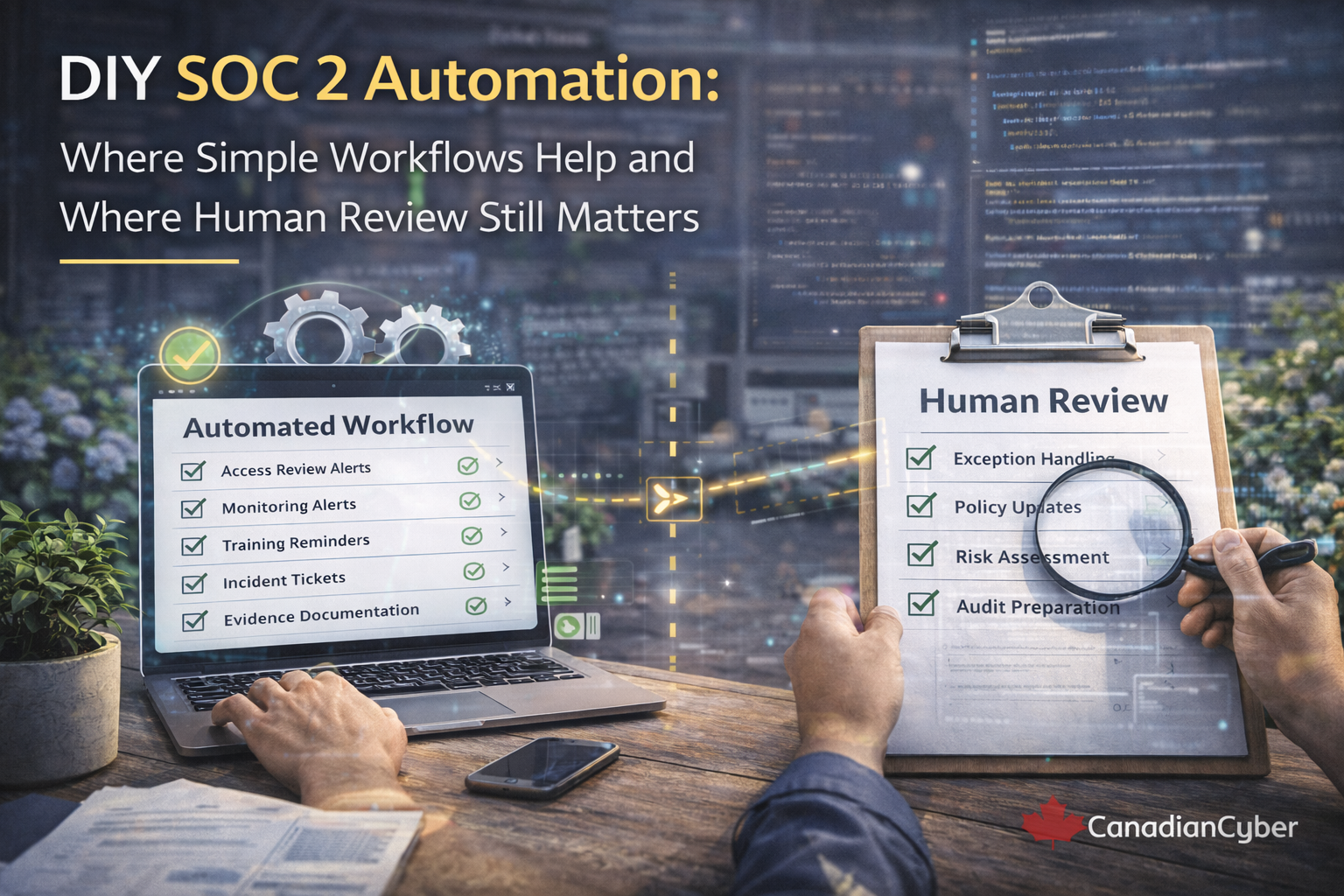
For growing SaaS companies, lean compliance teams, and internal IT groups, automation feels like the obvious answer.
In many areas, it is. Simple workflows can reduce manual effort, improve consistency, and make SOC 2 operations much easier to manage.
But there is a line many teams discover too late: not every SOC 2 activity should be automated all the way through.
SOC 2 is not only about collecting evidence. It is also about judgment, accountability, and showing that controls are operating thoughtfully.
Most organizations start looking at automation after feeling the pain of manual compliance work. Evidence requests repeat. Spreadsheets drift. Policy approvals get buried in email. Open tasks stall because reminders depend on memory.
That is why DIY automation becomes attractive. For many companies already using Microsoft 365, Google Workspace, Jira, Slack, Asana, SharePoint, Notion, or ticketing tools, it feels possible to build lightweight workflows without buying a full GRC platform.
Imagine a startup preparing for SOC 2. The compliance lead is tracking access reviews, vendor reviews, policy approvals, security training, vulnerability remediation, corrective actions, and evidence requests across spreadsheets, Slack reminders, calendar notes, and a few tickets.
To clean this up, the team builds simple automations.
Within weeks, things improve. Then new issues appear. A file is uploaded and marked complete even though it is the wrong evidence. An access review is marked done without anyone really checking whether permissions still make sense. A corrective action closes when the box is checked, not when remediation is actually verified.
Now the team has a cleaner process, but not always a better one.
DIY automation works best when the task is structured, repeatable, and low in ambiguity. These are the parts of compliance that benefit most from consistency and speed.
A simple workflow can dramatically reduce missed tasks and improve recordkeeping. That is a real win for lean teams.
Evidence gathering is one of the most repetitive parts of SOC 2. Automation can create recurring evidence requests, remind owners before due dates, follow up when uploads are missing, tag files by control area, and move documents into a consistent location.
Automation is strong at triggering annual or semi-annual policy review reminders, assigning review tasks, requesting acknowledgments, and escalating overdue reviews.
Corrective action workflows are often one of the best DIY automation wins. Automations can assign owners, set deadlines, send reminders, escalate overdue actions, and prevent status changes unless evidence is attached.
Quarterly or monthly access reviews are highly repetitive. Automation can generate review tasks, attach access lists, route reviews to managers, remind them to complete the work, and store the completed records.
DIY automation can remind owners when vendor reviews are due, request updated reports, track contract dates, flag missing evidence, and route high-risk vendors for additional review.
Forms and workflows work very well for exception intake. A form can capture the system affected, requested duration, business reason, owner, risk, and mitigation. A workflow can then assign reviewers, notify stakeholders, set expiry reminders, log the decision, and flag overdue exceptions.
Some parts of SOC 2 should almost never be treated as fully automatic. These areas involve context, interpretation, and risk-based decision-making.
These areas are not just paperwork. They are governance.
| Automation is best for | Human review is best for |
|---|---|
| starting the process | evaluating the content |
| routing the work | deciding what it means |
| reminding the owner | handling exceptions |
| tracking deadlines | signing off on adequacy |
| storing the record | confirming closure |
| escalating delays | accepting risk where needed |
For many teams, a lightweight stack is enough. The goal is not to build a complex platform. The goal is to build enough structure to keep work moving reliably.
| Need | Simple tool approach |
|---|---|
| Evidence storage | SharePoint, Google Drive, or structured folders |
| Task reminders | Jira, Asana, Planner, ClickUp, Monday |
| Forms and intake | Microsoft Forms, Google Forms, or ticket forms |
| Notifications | Slack, Teams, or email automation |
| Dashboards | SharePoint views, Airtable, Smartsheet, Power BI, simple reports |
| Corrective action tracking | SharePoint lists, Airtable, Jira, or workflow-backed sheets |
DIY automation starts becoming risky when teams confuse workflow completion with control quality.
In these cases, the process may look mature on paper while becoming weaker in practice. That is exactly the kind of gap auditors and customers eventually notice.
SOC 2 auditors generally do not object to automation. In many cases, well-structured workflows make the control story stronger because they show discipline and repeatability.
What matters is whether the workflow supports a real control instead of creating the illusion of one.
| Activity | Automate heavily? | Human review needed? |
|---|---|---|
| Evidence reminders | Yes | Yes |
| Policy review scheduling | Yes | Yes |
| Corrective action reminders | Yes | Yes |
| Task escalation | Yes | Sometimes |
| Access review task creation | Yes | Yes |
| Evidence file routing | Yes | Yes |
| Exception intake | Yes | Yes |
| Vendor reassessment reminders | Yes | Yes |
| Incident logging intake | Yes | Yes |
| Risk acceptance decision | No | Definitely |
| Significant finding closure | No | Definitely |
| Policy content approval | No | Definitely |
| Lessons learned review | No | Definitely |
Simple SOC 2 automation can create real value, especially when teams want to reduce manual coordination and improve consistency. The biggest wins usually come from recurring reminders, cleaner task routing, better evidence organization, stronger visibility into corrective actions, and fewer missed reviews.
But strong compliance programs do not try to automate judgment away. They use automation to support governance, not replace it.
That means workflows create structure, dashboards improve visibility, reminders reduce slippage, and people still review, approve, challenge, and verify the things that actually require judgment.
DIY SOC 2 automation can absolutely make compliance work cleaner, faster, and more sustainable. It is especially helpful for reminders, recurring task creation, routing, tracking, dashboards, and evidence collection support.
But some parts of SOC 2 still depend on human review. That includes risk decisions, exception approvals, access judgments, policy quality, incident interpretation, and meaningful closure of findings.
The goal is not to choose between automation and people. It is to use each where it works best. The healthiest SOC 2 workflows are not the ones that automate everything. They are the ones that automate the repetitive parts and preserve human judgment where it actually matters.










