



Cloud Compliance • Data Residency • Access Logging • ISO 27017 • ISO 27018
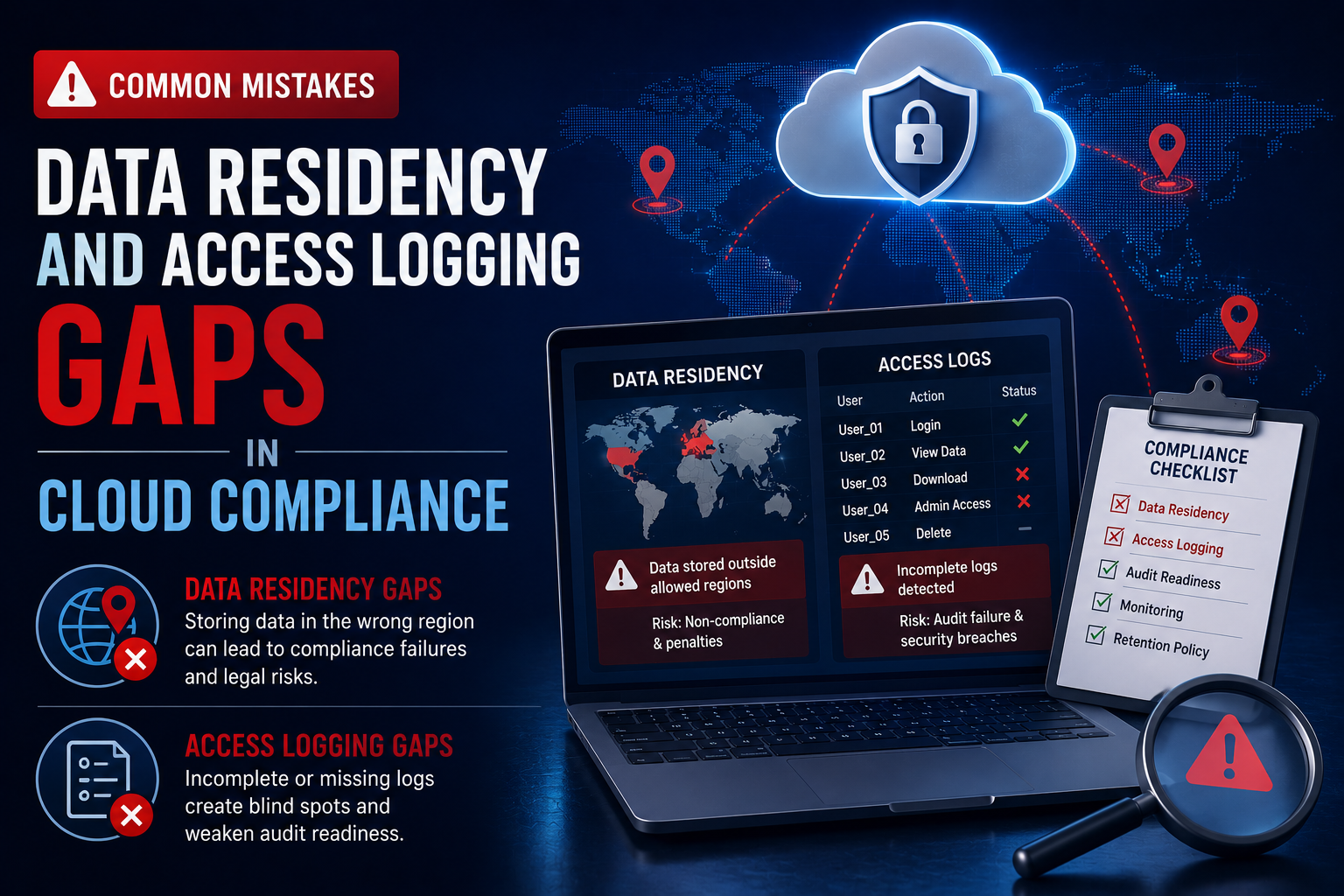
Common Mistakes: Data Residency and Access Logging Gaps in Cloud Compliance
How unclear data location, weak access logging, vendor gaps, and scattered evidence can weaken your cloud compliance story.
Data residency and access logging are two areas where cloud compliance often looks stronger than it really is.
The issue is rarely that teams do not care. The issue is that data location, admin access, logs, vendors, and evidence are not mapped clearly enough to prove control.
Quick Snapshot
| Compliance Area | Common Gap |
|---|---|
| Data Residency | Teams know the main hosting region but not where backups, logs, support data, replicas, or vendors store data. |
| Access Logging | Logs exist but do not clearly show who accessed customer data, when, why, or what action was taken. |
| ISO 27017 Relevance | Cloud responsibility, configuration, monitoring, and provider dependency need clear ownership. |
| ISO 27018 Relevance | Personal data handling, sub-processors, access, retention, and privacy evidence must be provable. |
| Outcome | A cleaner evidence model for proving where data lives and how access is monitored. |
Introduction
Data residency sounds simple.
You choose a cloud region. You tell customers where their data is hosted. You point to your cloud provider’s compliance page.
But cloud compliance does not stop there.
Customer data may also appear in backups, logs, analytics tools, support tickets, monitoring platforms, file exports, third-party integrations, disaster recovery environments, and temporary troubleshooting copies.
Access logging sounds simple too. You enable logs. You send them to a SIEM. You keep them for a set period.
But during a customer review, privacy assessment, ISO 27017 review, ISO 27018 readiness project, or cloud audit, the real question is harder:
Can you prove where customer data lives and who accessed it?
Many organizations cannot answer that cleanly. This blog explains the most common mistakes around data residency and access logging in cloud compliance, why they matter, and how to fix them before customers, auditors, or regulators ask harder questions.
Need Help Finding Cloud Compliance Gaps?
Canadian Cyber helps SaaS, healthcare, fintech, and service organizations map data residency, access logging, cloud vendors, and ISO 27017/27018 evidence.
Why Data Residency and Access Logging Matter
Data residency and access logging are trust controls.
They help answer two high-impact questions:
- Where is our customer or patient data stored?
- Who accessed it, and can we prove it?
These questions matter for:
- enterprise customer security reviews
- healthcare vendor assessments
- privacy reviews
- ISO 27001 audits
- ISO 27017 cloud control mapping
- ISO 27018 privacy control mapping
- SOC 2 readiness
- regulatory obligations
- contractual data location commitments
Weak answers create friction. Strong answers build confidence.
The Real Risk
| Weak Area | What Can Go Wrong |
|---|---|
| Data residency | Customer data may be stored or processed outside approved regions. |
| Backups | Data may remain in a region after production data is deleted. |
| Logs | Sensitive data may be copied into logging systems unintentionally. |
| Support tools | Customer or patient data may appear in tickets or screenshots. |
| Access logs | Admin activity may not show enough detail. |
| Vendor tools | Sub-processors may process data in unknown locations. |
| Evidence | The team may know the answer but cannot prove it quickly. |
The control may exist. But if the evidence is incomplete, scattered, or unclear, the compliance story becomes weak.
Mistake 1: Treating the Main Cloud Region as the Full Residency Answer
The most common mistake is assuming that the production hosting region tells the whole story.
It does not.
Your production database may sit in Canada, the United States, the UK, or the EU. But other parts of your environment may store or process data elsewhere.
Places Teams Forget to Check
| Data Location | Why It Matters |
|---|---|
| Backups | May replicate to another region. |
| Disaster recovery | May use a secondary cloud region. |
| Logs | May be sent to a global logging platform. |
| Support tickets | May store customer screenshots or files. |
| Analytics tools | May process user activity or identifiers. |
| Email systems | May contain notifications or exported data. |
| Object storage | May hold uploaded files in a different region. |
| Vendor platforms | May process data outside your expected region. |
Data Residency Map Example
| System | Data Type | Primary Region | Backup / Replica Region | Vendor | Owner | Evidence |
|---|---|---|---|---|---|---|
| Production database | Customer records | Canada | Canada | AWS | DevOps | RDS config export |
| Object storage | Uploaded files | Canada | Canada | AWS | Engineering | Bucket region proof |
| Logging platform | App logs and metadata | US | Global support possible | Datadog | Security | Vendor review |
| Support platform | Tickets and screenshots | US | Vendor managed | Zendesk | Customer Ops | DPA and settings |
Practical rule: Do not say “our data is hosted in Canada” unless you know what happens to backups, logs, support data, analytics, and vendors.
Mistake 2: Forgetting Logs Can Become a Data Residency Problem
Logs are often treated as security evidence. But logs can also become privacy and residency risk.
Application logs may include:
- email addresses
- user IDs
- IP addresses
- patient identifiers
- record IDs
- API payloads
- error messages
- file names
- search terms
- support actions
- export activity
- device details
If those logs are sent to another region, your data residency story changes.
Log Residency Table
| Log Source | Sensitive Data Possible? | Storage Region | Retention | Access Owner | Evidence |
|---|---|---|---|---|---|
| App audit logs | Yes | Canada | 1 year | Security | Log settings export |
| API gateway logs | Possible | Canada | 180 days | DevOps | Gateway config |
| Error logs | Possible | US | 90 days | Engineering | Vendor setting |
| SIEM logs | Yes | Canada | 1 year | Security | SIEM retention proof |
Canadian Cyber Tip: If logs can identify a person, treat them as personal data. That means they belong in your data inventory, residency map, retention schedule, and access review process.
Mistake 3: Saying “We Log Access” Without Defining What Access Means
Access logging can mean many things.
It may mean login events, admin actions, database queries, customer record views, API calls, or support staff activity. These are not the same.
Access Types to Separate
| Access Type | What to Log |
|---|---|
| User login | Successful and failed authentication. |
| Admin login | Privileged access to systems. |
| Customer record access | View, edit, export, delete actions. |
| Support access | Staff access tied to a ticket or customer request. |
| API access | Client ID, endpoint, method, result. |
| Vendor access | Third-party support or admin action. |
| Export access | Bulk download or report generation. |
Required Access Log Fields
| Field | Why It Matters |
|---|---|
| Timestamp | Shows when the event happened. |
| User or service account ID | Shows who or what acted. |
| Tenant or customer ID | Shows which customer was affected. |
| Action performed | Shows what happened. |
| Resource accessed | Shows what data or system was involved. |
| Source IP or device | Supports investigation. |
| Ticket or reason code | Explains why access happened. |
| Correlation ID | Links events across systems. |
High-intent buyer question: “Can you prove whether your support team accessed our data?” Your logging model should make that answer easy.
Mistake 4: Logging Activity but Not Reviewing It
Many teams collect logs. Fewer teams review them.
Auditors and enterprise buyers do not only want to know that logs exist. They want to know whether someone looks at them, whether alerts are investigated, and whether suspicious activity becomes a ticket.
| Strong Evidence | Why It Works |
|---|---|
| Log source inventory | Shows coverage. |
| Retention setting proof | Shows logs are preserved. |
| Monthly review record | Shows operation over time. |
| Alert rule list | Shows detection logic. |
| Alert-to-ticket sample | Shows action was taken. |
| Review sign-off | Shows accountability. |
Practical rule: A log that nobody reviews is weaker than most teams think. For compliance, logging needs ownership, review, and follow-up.
More Common Mistakes to Fix
| Mistake | Why It Matters | Better Approach |
|---|---|---|
| 5. Not linking access logs to business context | Access may look suspicious even when it was valid. | Use ticket IDs, reason codes, approvals, and support request references. |
| 6. Ignoring vendor and sub-processor access | Vendors may store, process, support, or access customer data. | Include vendor access in your data residency map and access logging review. |
| 7. Making residency promises without evidence | Sales claims can become risky if backups, logs, support, vendors, and exports are not verified. | Use accurate, evidence-backed residency statements. |
| 8. Forgetting backup, archive, and DR locations | Backups may replicate outside the expected region. | Document backup location, encryption, retention, restore access, and restore testing. |
| 9. Not monitoring data exports | Exports can move data outside controlled environments quickly. | Limit export permissions, log exports, alert on bulk downloads, and review export activity. |
| 10. Storing evidence by tool instead of by control | Auditors and customers ask by control area, not by platform name. | Organize evidence by data residency, access logging, access reviews, vendor management, deletion, backup, incident response, and cloud configuration. |
Need a Cleaner Gap Register?
Canadian Cyber can help review your cloud environment and turn data residency and access logging gaps into a prioritized remediation roadmap.
Data Residency and Logging Gap Register
Once you review your environment, track gaps in a simple register.
| Gap | Risk | Owner | Priority | Evidence Needed |
|---|---|---|---|---|
| Logs sent to vendor outside approved region | Residency commitment may be inaccurate | Security Lead | High | Vendor review and log region setting |
| Support tickets contain patient data | Sensitive data may be stored in support platform | Customer Ops | High | Support handling procedure |
| No monthly access log review | Suspicious activity may go unnoticed | Security Lead | High | Review cadence and sign-off |
| Backup region not documented | Residency claim may be incomplete | DevOps | Medium | Backup configuration export |
| Exports not monitored | Data may leave controlled environment | Product / Security | High | Export logs and alert rule |
| Access logs lack customer ID | Investigation may be incomplete | Engineering | High | Logging schema update |
What Good Looks Like
A strong cloud compliance program can answer these questions clearly:
- Where is customer data stored?
- Where are backups stored?
- Where are logs stored?
- Which vendors process customer or patient data?
- Can support staff access sensitive records?
- Is that access logged?
- Are exports logged and reviewed?
- Are access logs retained long enough?
- Can logs support an investigation?
- Are residency promises backed by evidence?
- Are exceptions documented and approved?
The goal is not perfection. The goal is clarity, ownership, and proof.
Common Warning Signs
Your data residency and access logging evidence may be weak if:
- your residency answer only mentions the main cloud region
- logs are not included in the data inventory
- support tickets are not classified as possible customer data
- vendor access is not reviewed
- backup locations are undocumented
- bulk exports are not logged
- admin access logs are not reviewed
- logs do not show customer or tenant context
- privacy incident response has never been tested
- evidence is scattered across tools and inboxes
These gaps are common. They are also fixable.
Canadian Cyber’s Take
At Canadian Cyber, we often see cloud teams underestimate data residency and access logging.
Not because they are careless. Because cloud environments are distributed by design.
Data moves through applications, backups, logs, vendors, support systems, monitoring tools, analytics platforms, and exports. Access happens through admins, APIs, support teams, vendors, service accounts, and emergency workflows.
That complexity is normal. The problem is when complexity is undocumented.
ISO 27017 and ISO 27018 help organizations turn cloud complexity into a control story.
They help teams show where data lives, who can access it, how access is logged, how vendors are reviewed, and how evidence is kept current. That is what customers and auditors want. Not vague promises. Proof.
Takeaway
Data residency and access logging gaps are common in cloud compliance. The biggest mistake is assuming they are already covered.
Your cloud provider may host data in the right region. Your logs may be enabled. Your vendors may have SOC 2 reports. Your application may have access controls.
But compliance depends on whether the full data path is mapped and whether access can be proven. Start with:
- a data residency map
- logs classified as data
- defined access logging requirements
- privileged activity reviews
- access linked to business context
- vendors and sub-processors included
- backup and DR regions documented
- exports monitored
- evidence organized by control area
That is how cloud compliance becomes easier to defend.
How Canadian Cyber Can Help
Canadian Cyber helps SaaS, healthcare, fintech, and service organizations close data residency and access logging gaps in cloud compliance.
- data residency mapping
- ISO 27017 control mapping
- ISO 27018 privacy evidence reviews
- access logging reviews
- cloud vendor and sub-processor reviews
- SharePoint evidence workspace setup
- access review workflows
- log review procedures
- data export control reviews
- backup and DR evidence review
- privacy incident tabletop exercises
- vCISO support for cloud compliance governance
Stay Connected With Canadian Cyber
Follow Canadian Cyber for practical guidance on cloud compliance, ISO 27017, ISO 27018, data residency, access logging, privacy evidence, and vCISO support.










